Codex follows your rules on one computer and ignores them on the next, or obeys a file you forgot was there. The cause is nearly always which AGENTS.md it found, and where. This Codex AGENTS.md setup guide covers the global file in ~/.codex, project files and overrides, what CODEX_HOME changes, how to check what Codex actually loaded, and how to keep the same setup on every computer you use.
Where Codex looks for AGENTS.md
Codex builds its instruction chain when it starts: once per run, and in the TUI usually once per session. The Codex AGENTS.md guide gives the order in three steps:
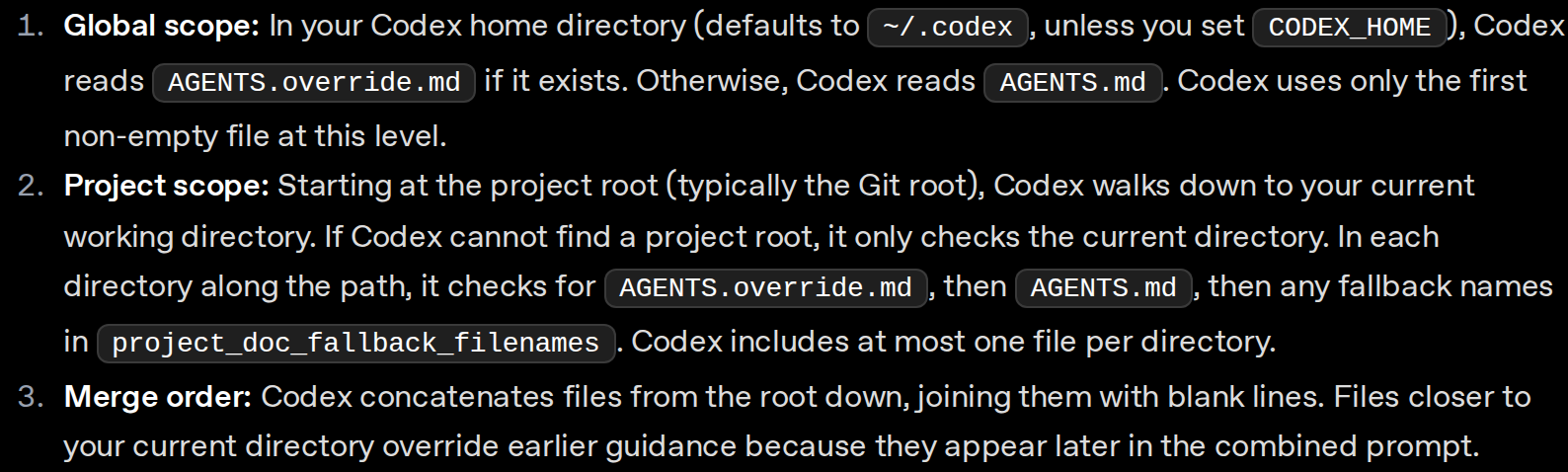
Here is what that means for a repo at ~/code/shop when you start Codex in ~/code/shop/services/payments:
| Order | File Codex checks | Note |
|---|---|---|
| 1 | ~/.codex/AGENTS.override.md, else ~/.codex/AGENTS.md |
Global, the first non-empty one counts |
| 2 | ~/code/shop/AGENTS.md |
Project root, usually the git root |
| 3 | ~/code/shop/services/AGENTS.md |
Only if it exists |
| 4 | ~/code/shop/services/payments/AGENTS.md |
Comes last, so it has the final word |
In rows 2 to 4, an AGENTS.override.md in the same directory is read instead of the AGENTS.md. Codex skips empty files and stops adding files once the combined size reaches project_doc_max_bytes, 32 KiB by default. If it can’t find a project root, it only checks the current directory.
What goes in the global file and what goes in the project
The two layers have different readers. The global file is you, in every repo. The project file is everyone who works on that repo, and every agent they run.
Put it in ~/.codex/AGENTS.md |
Put it in the project AGENTS.md |
|---|---|
| How you like to work, such as asking before new deps | How to build, test and lint this repo |
| Your package manager and tool preferences | Repo conventions: layout, naming, where docs go |
| Habits that hold in every repo | Rules for one service, in a nested file next to its code |
| Nothing about one specific codebase | Nothing personal and nothing secret |
One long global AGENTS.md with the test commands of every repo you touch, loaded into every session.
A short global file with your habits, plus an AGENTS.md in each repo with that repo's own commands.
Set up the global ~/.codex/AGENTS.md
Create the folder and the file, then ask Codex what it sees:
❯ mkdir -p ~/.codex❯ $EDITOR ~/.codex/AGENTS.md# add a few working agreements as a Markdown list (example below)❯ codex --ask-for-approval never "Summarize the current instructions."# Codex should quote the items from ~/.codex/AGENTS.mdStart small. The example in the Codex docs is three bullets under one heading:
## Working agreements

- Always run `npm test` after modifying JavaScript files.
- Prefer `pnpm` when installing dependencies.
- Ask for confirmation before adding new production dependencies.
Add a line when you notice yourself typing the same request into a prompt for the third time.
Add a project AGENTS.md
In the repository root, add an AGENTS.md with what an agent needs to work in this repo. The Codex docs start with two rules:
## Repository expectations

- Run `npm run lint` before opening a pull request.
- Document public utilities in `docs/` when you change behavior.
When one part of the repo needs different rules, put a file next to that code. The docs’ example is services/payments/AGENTS.override.md, which tells Codex to use make test-payments instead of npm test. Because it’s an override, Codex reads it in place of any AGENTS.md in that same folder.
If the repo already keeps its agent notes under another name, list it in ~/.codex/config.toml and restart Codex:
project_doc_fallback_filenames = ["CLAUDE.md"]Codex then checks each directory for AGENTS.override.md, AGENTS.md and then CLAUDE.md, still taking at most one.
Committing the project AGENTS.md in a team
Commit it. The project file is the repo’s guide for agents and complements the README, which is written for people; the AGENTS.md site describes it as an open format for giving coding agents project-specific context. Codex, OpenCode and Copilot CLI all read a project AGENTS.md by default; instructions file locations lists which files every assistant reads.
Two things to keep out of it:
- Personal preferences. Put them in your global file. It applies in every repo and never lands in a commit.
- An
AGENTS.override.mdas a private add-on. It replaces theAGENTS.mdin its directory, so a local override at the root hides the team’s file from your Codex.
What CODEX_HOME changes
CODEX_HOME moves the whole Codex home, not only the instructions. The advanced configuration docs say Codex keeps its local state there: config.toml, auth.json if you use file-based credential storage, history.jsonl if history persistence is on, and logs and caches. The global AGENTS.md comes from the same folder.
That makes it useful for a separate profile, such as an automation user with its own rules:
❯ CODEX_HOME=$(pwd)/.codex codex exec "List active instruction sources"# lists files relative to the custom .codex directoryIt also explains a common surprise. If CODEX_HOME is set in your shell profile, Codex reads the AGENTS.md in that folder, not the ~/.codex/AGENTS.md you just edited. And pointing CODEX_HOME into a dotfiles checkout to sync it puts auth.json and history.jsonl in the checkout too.
Check what Codex actually loaded
The Codex docs give a few checks. Run them from the repo root:
❯ codex --ask-for-approval never "Summarize the current instructions."# Codex should echo global and project guidance, in precedence order❯ codex --cd services/payments --ask-for-approval never "Show which instruction files are active."# confirms the nested override replaced the broader rules❯ codex -c log_dir=./.codex-log# writes a plaintext TUI log to ./.codex-log/codex-tui.log❯ echo $CODEX_HOME# a non-default value means Codex reads a different home than ~/.codexWhen something is off, the same guide’s verification and troubleshooting notes cover most cases:
- Nothing loads: check that
codex statusreports the workspace root you expect, and that the files aren’t empty. - Wrong guidance: look for an
AGENTS.override.mdhigher in the tree or in your Codex home. - Stale guidance: restart Codex in the target directory. It rebuilds the chain on every run, so there is no cache to clear.
- Truncated: raise
project_doc_max_bytesor split the file across nested directories.
Keep Codex AGENTS.md in sync across machines
Project files travel with the repo, so git pull is all a second computer needs. The global ~/.codex/AGENTS.md is the one that drifts: you add a rule on the laptop, and the desktop never hears about it.
A git dotfiles repo
Keep the file in a repo and link it into place on each computer:
❯ mkdir -p ~/.codex❯ ln -s ~/dotfiles/codex/AGENTS.md ~/.codex/AGENTS.md# ln refuses if the file exists: merge it into the repo copy, then move it asideCommit what you wrote and nothing else from ~/.codex. Dotfiles for AI coding assistants maps which Codex files are safe to commit and which hold credentials or transcripts. The cost is the routine: commit and push on one computer, pull on the others, and set up the link again on every new one.
SkillPouch
SkillPouch, which we make, keeps the file in your pouch and writes it where Codex looks on every computer that syncs that pouch:
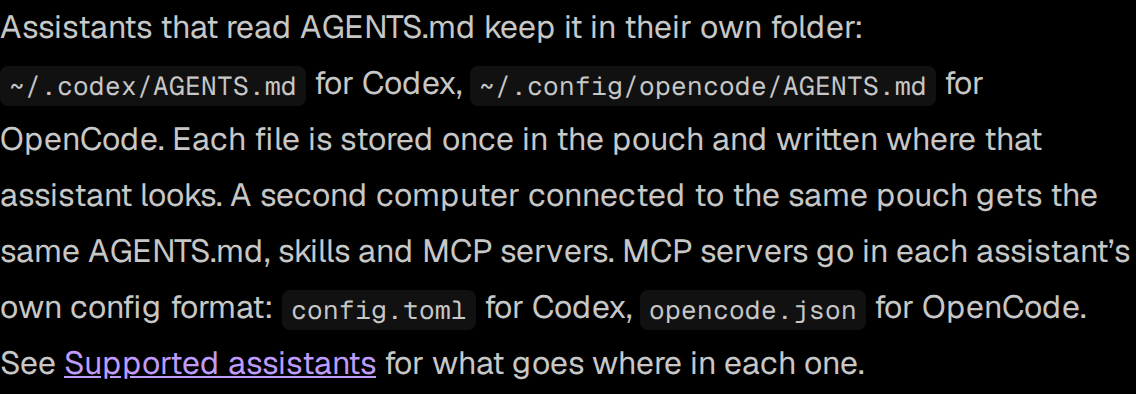
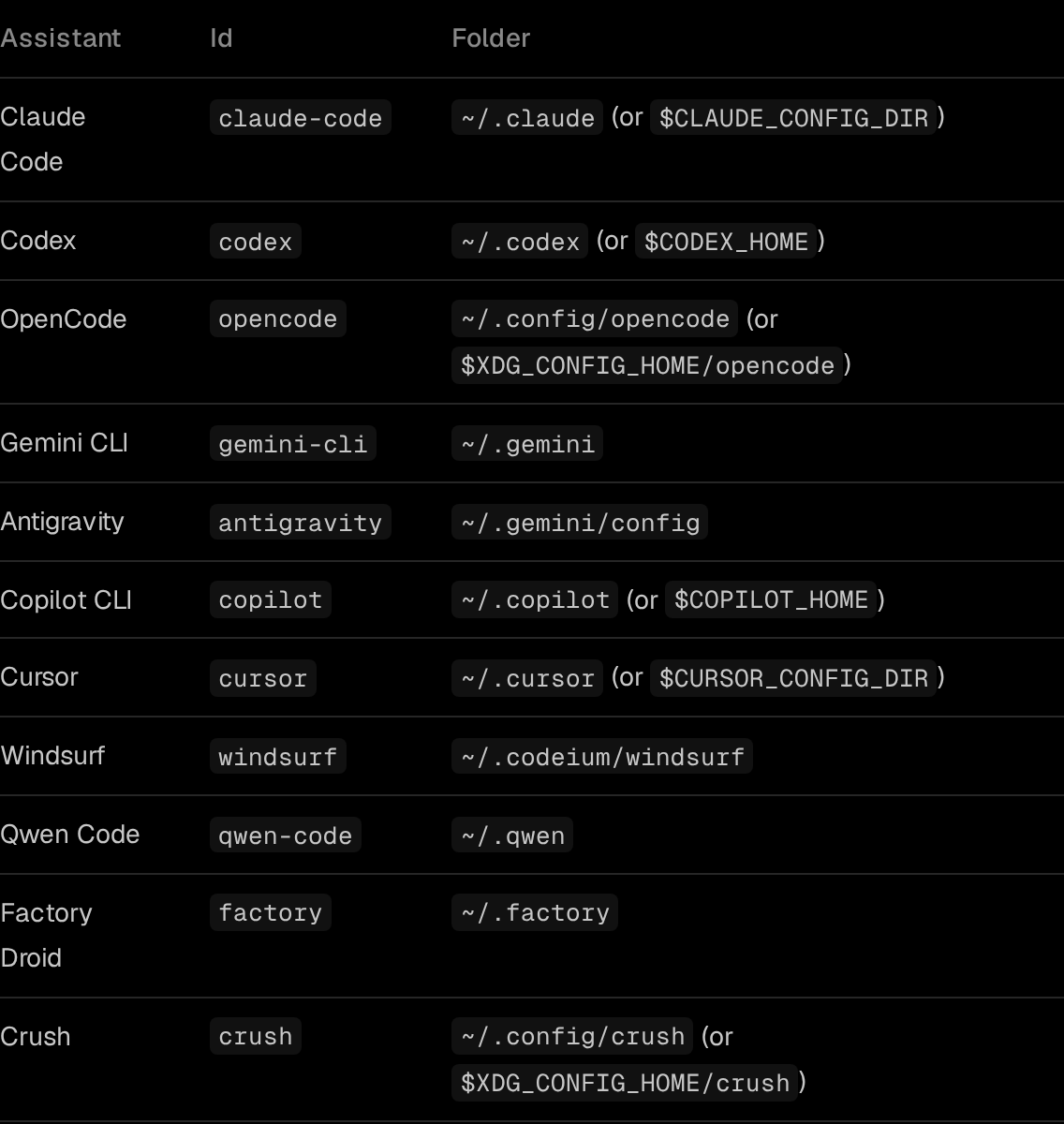
It follows CODEX_HOME too, so a moved Codex home gets the file in the right place:
- 1
Install and log in
npm i -g skillpouch, then run skillpouch. It opens an approval page and prints an 8-digit code: type it on the page, in a browser where you are signed in and unlocked, then choose Authorize.
- 2
Pick the same pouch on each computer
On the second computer, choose Use the pouch (its own files are backed up to ~/.skillpouch/backups/ first) or Merge both to keep what it has too.
- 3
Keep Codex switched on
skillpouch select lists what this computer syncs; skillpouch select --on codex turns Codex on if it is off.
Here is how the two compare for the global file:
| For your global AGENTS.md | Git dotfiles | SkillPouch |
|---|---|---|
| New computer | Clone the repo, create the link | Log in and pick the pouch |
| A change reaches the others | After you commit, push and pull | Within moments while both are online |
| Same rules for other tools | One more link per assistant | Written into each assistant’s own file |
| Rolling back a mistake | git log and git revert |
Keep your own backup, such as git |
| Encryption | None unless you add it | Encrypted on your device before upload |
A few honest limits. Sync copies mistakes too, so a broken edit reaches every computer; the background sync docs recommend your own backup, such as a git repo, if you need to roll back. If ~/.codex is part of a git checkout, SkillPouch only reads it and never writes there. And an AGENTS.override.md on one computer still beats the synced AGENTS.md, because that is how Codex picks its global file.
Whichever way you go, run codex --ask-for-approval never "Summarize the current instructions." once on each new computer. It takes a few seconds and tells you exactly which rules Codex found.
Try it on your own setup
Free to start, end-to-end encrypted, open source. Two commands and your setup follows you.