You want Claude Code to stop asking before npm run test, start on another model, or you changed a setting and nothing happened. Either way you first need the right file. The Claude Code settings.json location depends on who a setting is for: you, your team or your organization. Claude Code reads four settings files plus one file it writes for itself, and they live in different places on Linux, macOS and Windows.
Claude Code config location: four settings files
The settings docs list the files and who each one affects:
| Scope | File | Who it affects |
|---|---|---|
| User | ~/.claude/settings.json |
You, in every project on this machine |
| Shared project | .claude/settings.json |
Everyone in the project, once committed |
| Project local | .claude/settings.local.json |
You, in this one project only |
| Managed | managed-settings.json |
Everyone your organization deploys to |
~/.claude is the .claude folder in your home directory; a bare .claude is the one inside your project.
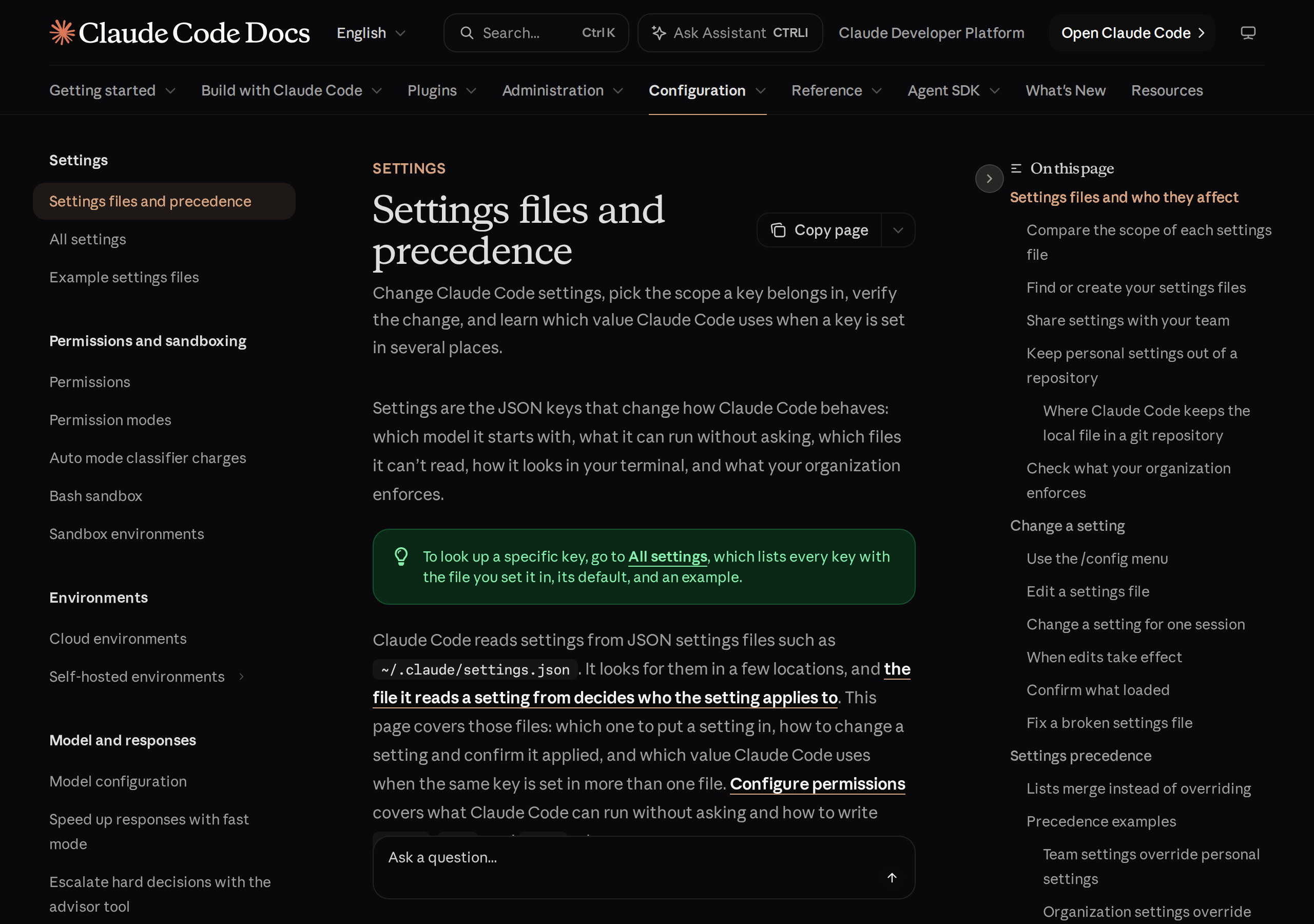
Installing Claude Code doesn’t create any of them. It writes ~/.claude/settings.json the first time you change an option in /config that belongs in user settings, such as the theme. It writes .claude/settings.local.json the first time you answer “Yes, and don’t ask again” on a permission prompt. The shared project file you create yourself.
Claude Code settings.json location on Linux, macOS and Windows
| System | User settings | Project settings |
|---|---|---|
| Linux | ~/.claude/settings.json |
.claude/settings.json in the project |
| macOS | ~/.claude/settings.json |
.claude/settings.json in the project |
| Windows | %USERPROFILE%\.claude\settings.json |
.claude\settings.json in the project |
Claude Code settings location on Windows
The docs say it in one line: “On Windows, ~/.claude means %USERPROFILE%\.claude.” So your user settings are %USERPROFILE%\.claude\settings.json, and ~/.claude.json, the separate state file covered below, is %USERPROFILE%\.claude.json, next to the folder rather than inside it.
❯ cat ~/.claude/settings.json# an error here only means nothing has been saved to user settings yet❯ cat .claude/settings.json .claude/settings.local.json# the shared and the local project files, from the project rootSettings files are strict JSON: a // comment or a trailing comma is a syntax error, and Claude Code reports a Settings Error at the next start. The docs’ own example adds a $schema line, which gives you autocomplete and validation in VS Code, Cursor and other editors that support JSON schema:
{
	"$schema": "https://json.schemastore.org/claude-code-settings.json",
	"permissions": {
		"allow": ["Bash(npm run lint)", "Bash(npm run test *)"],
		"deny": ["Read(./.env)", "Read(./.env.*)"]
	}
}
settings.local.json in Claude Code
.claude/settings.local.json is for changes that are yours alone in one project. Claude Code applies it over the committed .claude/settings.json, so if the team file sets one model and you want another, you set model in your local file and only your sessions change. Claude Code also saves your “Yes, and don’t ask again” answers there as allow rules.
Change model in the committed .claude/settings.json, and every teammate gets your choice with the next pull.
Set model in .claude/settings.local.json. It sits above the shared file, so only your sessions change.
Is settings.local.json gitignored?
Yes, but not through the repo’s .gitignore. The first time Claude Code writes the file in a git repository that doesn’t already ignore it, it adds **/.claude/settings.local.json to your global git excludes file. That is core.excludesFile when your global git config sets it to an absolute or ~ path, otherwise ~/.config/git/ignore (or the same path under XDG_CONFIG_HOME). If you created the file by hand before Claude Code wrote to it, add it to .gitignore yourself.
❯ git check-ignore -v .claude/settings.local.json# prints the matching pattern and the file it came from# no output and exit status 1: git would commit the fileOne more detail: started in a subdirectory of a git repository, Claude Code reads and writes the local file at the repository root. In a few cases it keeps the file next to .claude/settings.json instead, including outside a git repository, when the repository root is your home directory, and on Windows.
managed-settings.json location
Managed settings come from your organization, and you don’t create or edit them. The file-based kind lives in a system folder, per the managed settings docs:
| System | managed-settings.json location |
|---|---|
| macOS | /Library/Application Support/ClaudeCode/managed-settings.json |
| Linux and WSL | /etc/claude-code/managed-settings.json |
| Windows | C:\Program Files\ClaudeCode\managed-settings.json |
A managed-settings.d/ folder next to the file can hold drop-in pieces. A file is only one way in: server-managed settings from the claude.ai admin console, MDM or OS-level policies and, on Windows, the HKCU registry deliver managed settings too. Run /status and the Setting sources line names the managed source that applies to you.
Which Claude Code settings file wins
When the same key is set in several places, the value from the highest level wins. The docs give the order, highest first:
- 1
Managed settings
Nothing in your own files or --settings overrides a managed key, apart from a few listed security keys.
- 2
Command line
JSON passed with --settings when you start claude, for that session only.
- 3
Project local: .claude/settings.local.json
Your personal settings for this project.
- 4
Shared project: .claude/settings.json
The settings your team checks into source control.
- 5
User: ~/.claude/settings.json
Your personal settings for every project.
Two exceptions trip people up. Lists such as permissions.allow merge across files instead of overriding each other. And environment variables aren’t a level in this stack: ANTHROPIC_MODEL exported in your shell applies over the model key from any file.
To see what loaded, run /status. Its Setting sources line lists each settings file Claude Code read for the session, though not which file supplied each key. claude doctor lists the entries it rejected.
~/.claude.json location, and claude.json vs settings.json
~/.claude.json sits in your home folder, beside ~/.claude/ rather than in it. Claude Code writes it for itself and the docs say you don’t need to edit it. It holds your account details, MCP server configurations, per-project state such as trust decisions, and the global config keys that /config writes for you.
~/.claude/settings.json |
~/.claude.json |
|
|---|---|---|
| Written by | You or /config |
Claude Code |
| Holds | Permissions, hooks, env vars, model | Account, MCP servers, per-project state |
| Project layer | .claude/settings.json, settings.local.json |
None; one file, with per-project entries inside |
| Commit it? | The project version, yes | No |
The MCP part is where people get lost. Per the MCP docs, servers added with local scope (the default) or user scope go into ~/.claude.json, and only project scope writes a file in the repo, .mcp.json at the project root:
❯ claude mcp add --transport http hubspot --scope user https://mcp.hubspot.com/anthropic# user scope: stored in ~/.claude.json, available in all your projects❯ claude mcp add --transport http shared-server --scope project https://example.com/mcp# project scope: written to .mcp.json in the project rootWhen Claude Code rewrites ~/.claude.json, it copies the earlier version to ~/.claude/backups/ and keeps the five newest copies. The docs ask you not to delete ~/.claude.json, ~/.claude/settings.json or ~/.claude/plugins/.
Moving everything with CLAUDE_CONFIG_DIR
To keep the home-directory files somewhere else, set CLAUDE_CONFIG_DIR. The .claude directory docs put it plainly: every ~/.claude path then lives under that directory instead, and “the same applies to .claude.json”. Project files stay in the project.
export CLAUDE_CONFIG_DIR=~/claude-work
claudeWhich Claude Code files are safe to commit
| File | Commit it? |
|---|---|
.claude/settings.json |
Yes, that is what it’s for |
.mcp.json |
Yes, it holds the team’s MCP servers |
.claude/settings.local.json |
No, it’s yours |
~/.claude/settings.json |
Not to a project; it’s your personal file |
~/.claude.json |
No, it holds account and per-project state |
~/.claude/.credentials.json |
Never, it holds your login credentials |
A committed .claude/settings.json doesn’t apply in full right away. permissions.allow rules, permissions.additionalDirectories, extraKnownMarketplaces and most env values wait until each teammate trusts the folder; deny and ask rules apply at once. CLAUDE.md is a separate topic with its own rules, covered in instructions file locations.
Taking the settings to another computer
From this list, ~/.claude/settings.json moves as is, while from ~/.claude.json only the MCP servers are worth taking, not the account or trust state. How to sync Claude Code settings between computers walks through doing that with git or with SkillPouch, and dotfiles for AI coding assistants covers the Stow and chezmoi route. SkillPouch, which we make, syncs the entries of ~/.claude/settings.json and the MCP servers in ~/.claude.json end-to-end encrypted, and never syncs .credentials.json (assistants docs).
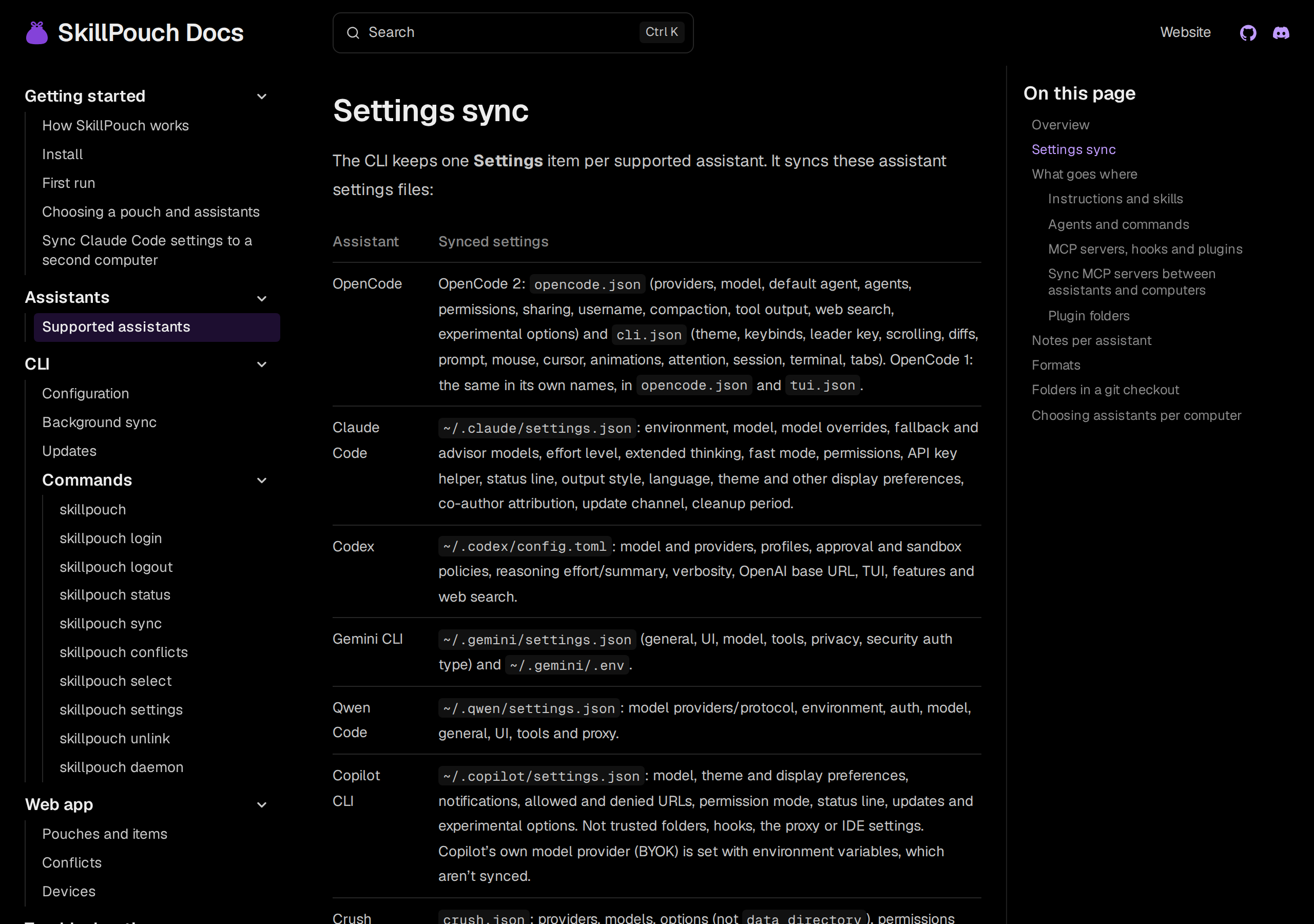
Sync is not a backup, though: a deleted or broken setting reaches your other computers too (background sync).
Whatever you change, finish with /status in a new session. If your file isn’t on the Setting sources line, Claude Code didn’t read it.
Try it on your own setup
Free to start, end-to-end encrypted, open source. Two commands and your setup follows you.